Guides
WhatsApp auto replies vs an AI assistant: which do you need?
Short answer
Auto replies send the same fixed text every time: a greeting, an away message, a saved answer you pick by hand. They don't read what the customer asked. An AI assistant reads each message, understands it and answers with your business information, then can book, quote and send a payment link. Auto replies are enough when messages are few and someone replies within hours. An AI assistant makes sense when the same questions pile up and customers wait for answers.
Key points
- Auto replies say the same thing to everyone; an AI assistant answers the actual question.
- Greeting and away messages are useful, but they don't solve anything on their own.
- Few messages and a fast human reply: auto replies are usually enough.
- Many repeated questions, after-hours messages or several languages: an AI assistant pays off.
- Either way, a person must be able to step into any conversation.
What auto replies actually are
Most businesses start with the tools inside the WhatsApp Business app. A greeting message goes out when someone writes for the first time. An away message goes out when you're closed. Quick replies are saved texts you insert with a shortcut, so you don't retype the same answer.
Some businesses add a menu bot on top: press 1 for prices, 2 for hours, 3 to talk to someone. It looks automated, but it still works with fixed text. If the customer writes something that isn't on the menu, the bot doesn't understand it.
- Greeting message: a fixed hello for new chats
- Away message: a fixed note outside business hours
- Quick replies: saved answers that a person still has to choose and send
- Menu bots: numbered options with fixed answers
What an AI assistant does differently
An AI assistant reads the message the way a person would. If a customer writes "hi do u have something for tmrw morning? for 2 ppl" it understands they want an appointment for two people tomorrow morning, checks your calendar and offers open times. A fixed reply can't do that.
It answers with the information you give it, like prices, hours, services and policies, in the language the customer writes in. And it can finish the job inside the chat: book the appointment, build the quote, send the payment link. When something needs judgment, it hands the conversation to your team.
Side by side
| Auto replies | AI assistant | |
|---|---|---|
| Reads the question | No, same text for everyone | Yes, answers what was asked |
| After hours | Says you're closed | Answers and moves the sale forward |
| Typos and slang | Doesn't matter, it doesn't read | Understands them |
| Other languages | Only the language you wrote | Replies in the customer's language |
| Bookings and quotes | No | Yes, inside the chat |
| Setup | A few minutes | Your information, limits and testing |
| Upkeep | Edit the texts now and then | Keep information current and review chats |
When auto replies are enough
Plenty of businesses don't need more than a good greeting and an honest away message. If that's you, set them up well and spend your time elsewhere.
- You get a handful of messages a day and answer them yourself within a few hours
- Almost every conversation needs a custom answer, like a carpenter quoting from photos
- Your customers mostly write to confirm things you already agreed on
- You're testing WhatsApp as a channel and don't know yet how much it will bring in
When an AI assistant is worth it
The signal is simple: customers wait, and some of them don't come back. A salon in Madrid that misses bookings at night, a shop in São Paulo answering the same price question all day, or a clinic in Toronto getting messages in three languages all hit the limits of fixed text quickly.
- The same questions arrive over and over, all day
- Many messages come in at night, on weekends or while you're busy with a customer
- Customers write in more than one language
- You lose bookings or sales because nobody answered in time
- You want quotes, bookings and payments to happen inside the chat
How to move from auto replies to AI
- Keep what worksYour greeting and quick replies already contain good answers. Reuse that text as part of the information you give the AI.
- Fill in the gapsAdd prices, hours, services, what each one includes and your policies. The AI can only answer what it knows.
- Decide the handoffWrite down which cases go to a person and who on your team takes them.
- Test with real questionsCopy questions from old chats and check every answer before going live.
- Review the first weeksRead conversations, add whatever was missing and adjust the limits.
Frequently asked questions
Can I keep my away message if I use an AI assistant?
You won't need it for the AI channel. An away message tells people you're closed, while the assistant actually answers them at that hour. What you should keep is an honest note when a case needs a person, saying your team will pick it up during business hours.
Is a menu bot the same as an AI assistant?
No. A menu bot offers numbered options with fixed answers and gets stuck when the customer writes something outside the menu. An AI assistant reads free text, understands what the person wants and answers with your information, even with typos or in another language.
Will an AI assistant sound robotic?
It depends mostly on the information and tone you give it. With clear, current details and a few examples of how your business talks, the answers sound natural. Fixed auto replies often feel more robotic, because everyone gets the same text whatever they asked.
Does this only apply to WhatsApp?
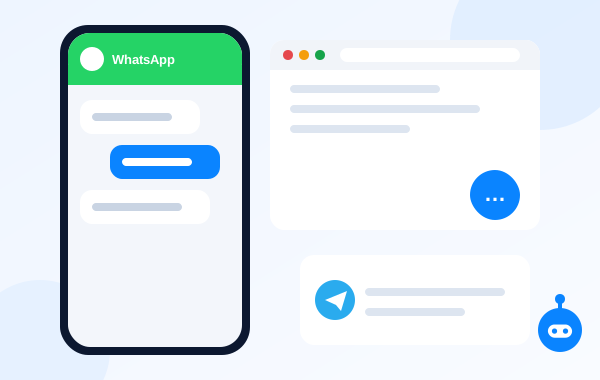
No. The same difference shows up in your website chat and on Telegram: fixed messages versus an assistant that reads and answers. With Autorys you can have the AI on WhatsApp, Telegram and your website chat, together in Autorys Connect or one channel at a time.