Guides
What is a CRM, and does your business need one?
Short answer
A CRM (customer relationship management) is software that keeps every customer and prospect in one place, with their contact details, conversations, quotes, sales and pending tasks. It replaces notebooks, spreadsheets and scattered chats, so anyone on your team can see what was agreed and what comes next. Your business needs one when follow-ups start slipping, you lose track of who asked for a price, or a customer's history depends on one person's memory.
Key points
- A CRM keeps each customer's details, history and next step in one shared place.
- The core is simple: contacts, a sales pipeline, activities and quotes.
- You need one when follow-ups slip or customer history lives in one person's head.
- Start small: bring in your contacts, define your stages, log every interaction.
- A CRM only works if your team actually uses it every day.
What a CRM is, in plain words
CRM stands for customer relationship management. In practice it is a shared record of everyone who buys from you or might buy from you. Each person or company has a card with their phone, email, notes, past conversations, quotes and purchases.
Without one, that information ends up spread across a notebook, a spreadsheet, the owner's phone and a dozen chat threads. That works while the business is small. It breaks the day a customer calls and the person who knows their story is on vacation.
A good CRM answers three questions at a glance: who is this customer, what have we promised them, and what is the next thing we need to do?
Signs your business already needs one
Size is not the test. A two-person repair shop in Lima and a twenty-person agency in Toronto can both need a CRM. Look for these signs instead.
If two or three of them sound familiar, a CRM will save you time from the first week.
- You sent quotes and later could not remember who still owed you an answer.
- Two people on your team contacted the same customer without knowing it.
- Customer details live in personal phones and leave when an employee leaves.
- You cannot tell quickly how many sales are in progress or what they are worth.
- Customers mention something you already discussed and you have to dig through chats to find it.
- You want to bring back past customers but have no list of who bought what.
What a CRM usually includes
Most CRMs share the same core. Extra modules vary from one tool to another, but these are the parts you will use every day.
| Part | What it does | Everyday example |
|---|---|---|
| Contacts | Stores people and companies with their full history | A florist sees that a client ordered for the same anniversary last year |
| Sales pipeline | Shows each opportunity by stage, from new lead to won or lost | A contractor sees five jobs quoted and two waiting for a deposit |
| Activities | Logs calls, meetings, notes and tasks, often on a calendar | A consultant gets a reminder to call a prospect back on Thursday |
| Products and quotes | Keeps your price list and turns it into quotes | A print shop builds a quote from its catalog in minutes |
| Users and permissions | Decides who sees and edits what | A salesperson sees only their own leads while the owner sees everything |
| Dashboard | Summarizes sales and team activity | The owner checks on Monday what closed last week |
How to start without making it complicated
You do not need a big project to start. These steps are enough to have a CRM that helps from the first month.
- Gather your contactsPull customers from your phone, spreadsheets and email into one list. Clean obvious duplicates, but do not aim for perfection on day one.
- Define your sales stagesWrite down the real steps a sale goes through in your business, for example new inquiry, quote sent, negotiating, won and lost. Keep it to a handful.
- Load what you sellAdd your products or services with their prices so every quote comes out consistent.
- Log every interactionAfter each call, message or meeting, add a short note and the next step with a date. This habit is what makes the CRM useful.
- Invite your team with clear rolesGive each person access to what they need. Decide who sees all customers and who sees only their own.
- Review it every weekSpend a few minutes on open opportunities and overdue tasks. Close what is dead and follow up on what is still alive.
Common mistakes when adopting a CRM
The best CRM is the one your team opens every day. A simple tool that gets used will do more for you than a powerful one that gets ignored.
- Buying the most complex system and then using only a corner of it.
- Creating so many fields and stages that filling in a record feels like paperwork.
- Letting each person keep their own spreadsheet on the side.
- Logging customers but never the next step, so the CRM turns into a phone book.
- Choosing a tool your team cannot use from their phone.
How the Autorys CRM handles it
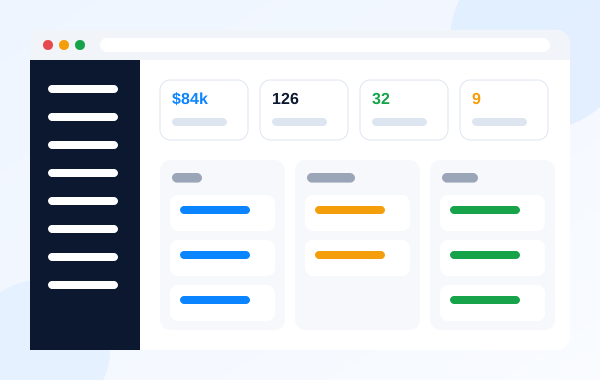
The Autorys CRM brings your customers, prospects, sales, quotes and team into one place. Each customer record keeps notes, calls, meetings, quotes and files. The pipeline shows every prospect by stage, with its value, where it came from and whether it was won or lost, and activities can be viewed on a calendar.
There is nothing to install. It works on a computer and a phone, in English, Spanish, Portuguese, French and German, with 25 currencies. You can add your own fields, stages and pipelines, or start from a template for your type of business. Each person on your team gets a role and sees everything, their group's work or only their own. Nora, the assistant inside the CRM, explains any screen and takes you to it.
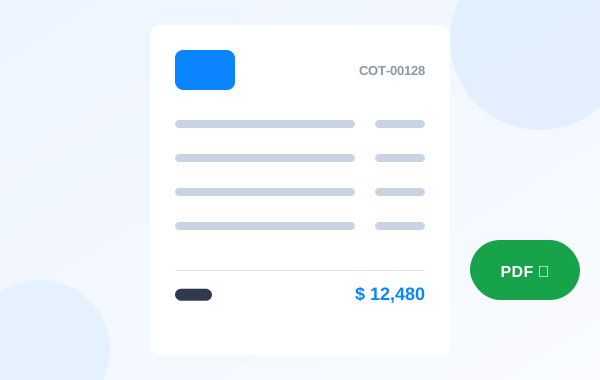
When you need more, you can add WhatsApp with AI, appointment booking, phone, online payments or your own brand on the CRM. Each one is a separate service that appears inside your CRM once you sign up. With AI Quotes, quotes come out of your catalog with a reference number and your logo.
Frequently asked questions
Is a CRM only for big companies?
No. Any business that sells to more than a handful of customers benefits from having their history and next steps in one place. Small teams often notice the difference sooner, because one forgotten follow-up hurts more when you have fewer customers.
Can I just use a spreadsheet?
A spreadsheet is fine for a list of contacts. It struggles once several people edit it, you need reminders, or you want to see conversations, quotes and payments next to each customer. That is the point where a CRM starts saving time instead of costing it.
How long does it take to set up a CRM?
It depends on how much information you bring in, but a basic setup is quick: import your contacts, define your stages and add your products. The real work is building the habit of logging every interaction and next step.
What is the difference between a CRM and a sales pipeline?
The pipeline is one part of a CRM. It shows open opportunities by stage. The CRM also keeps contacts, history, activities, quotes and team permissions, so every card in the pipeline has real information behind it.
Does the Autorys CRM include WhatsApp?
WhatsApp with AI can be added to the Autorys CRM as a separate service. Once you sign up, the AI answers WhatsApp, Telegram and your website chat, and you see every conversation inside your CRM. The prices are on the Autorys Connect page.