Reads every incoming email
It goes through the emails your business receives and works out what each person needs, whether it is a question, an order or something still pending.
AI email for your business
The Autorys AI email assistant reads the emails your business receives, attaches each one to the customer's record in your CRM and drafts the reply. You review it and hit send. You answer faster, and no email slips through the cracks.
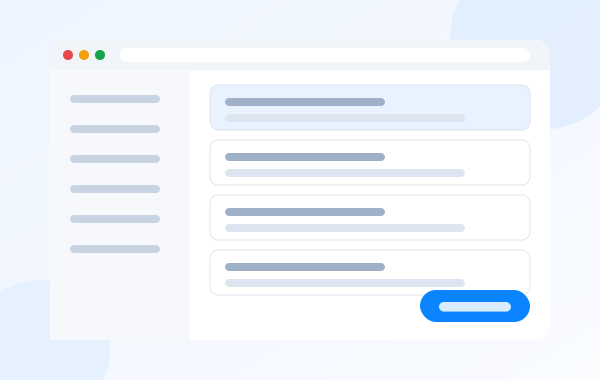
An AI email assistant is software that reads the emails your business receives, understands what people are asking for and helps you answer them. Instead of writing every reply from scratch, you open the message and a draft is already waiting.
Here is how it works with Autorys. You connect the email your business already uses, or one you set up with us. Every incoming email is saved to the customer's record in your CRM, next to the rest of their history, and the AI writes a reply for you to review and send.
It fixes a very common problem: a packed inbox, emails answered late or not at all, and customer information scattered across email, phones and notebooks.
It handles the repetitive part of your inbox, so all you do is review and send.
It goes through the emails your business receives and works out what each person needs, whether it is a question, an order or something still pending.
Each email lands in the customer's record in your CRM, together with their notes, quotes and files, so the whole story sits in one place.
You get a written reply that is ready to send. Read it, tweak it if needed and send it yourself whenever you like.
If a customer writes in English, the reply comes out in English. If they write in Spanish, it is in Spanish. You can serve customers abroad without translating by hand.
Connect the email account your business already has, or get mailboxes on your own domain from Autorys, such as sales@yourbusiness.com.
Log in to your Autorys dashboard, pick the AI email assistant and pay for it right there, without having to talk to anyone.
Connect the email your business already uses, as long as it supports IMAP and SMTP, or a mailbox you set up with Autorys.
Emails land in each customer's record and the AI leaves the reply drafted. You check it and send it.
They get client questions by email all day long. The AI drafts each reply, and the client's history stays together in the CRM.
They reply in each customer's language, whether the message comes from Brazil, France, Germany or Mexico, without spending time translating every email.
Orders and questions arrive by email. Every message is saved in the customer record, so nobody on the team loses track of what was said.
They sort the inbox by customer and answer faster, with replies the team only has to review before sending.
7-day guarantee: if the service didn’t work for you, let us know within the first 7 days and we’ll give you your money back.
Frequently asked questions
Karla gives you the price and sends you your quote right away. Karla is the Autorys AI assistant: message her on WhatsApp, through the chat on this page or on Telegram, tell her what you need and she prepares your quote.
Yes, as long as your email can be connected over IMAP and SMTP, the standard way programs connect to a mailbox. If you do not have mailboxes on your own domain yet, you can also get them from Autorys in your dashboard.
The email assistant leaves every reply drafted and ready to send, and you decide when it goes out. If you want the AI to answer by itself and follow up on quotes, appointments and payments, that is what Autorys Follow-Up does, always under the rules you set.
The AI writes in the language of whoever emails you. If a customer writes in English, the reply is in English; if they write in Portuguese, it is in Portuguese. Your dashboard and CRM are available in English, Spanish, Portuguese, French and German.
In the customer's record inside your CRM. Their emails sit next to their notes, activities, quotes and files, so anyone on your team with permission can see the full history before replying.
You have a 7-day guarantee: if the service did not work for you, tell us within the first 7 days and we refund your money. If you cancel later on, it stays active until the end of the period you already paid for.
Learn more
What you need for sales@yourbusiness.com and how to set it up without losing mail.
You may also need

AI follow-up so no customer is left without an answer.
Inboxes like sales@yourbusiness.com in your browser, on your phone or in the CRM.
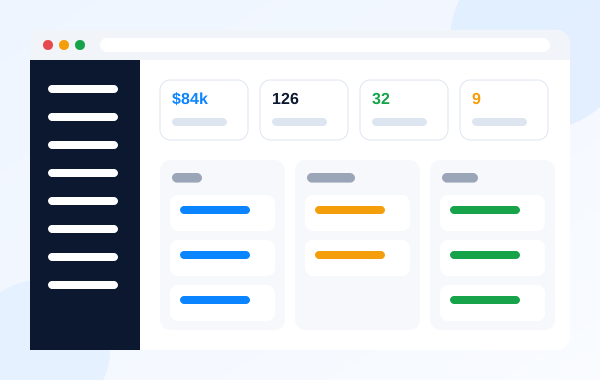
Customers, sales, quotes and your team in one place.

Drafts your emails and messages and helps you decide who to follow up with.
Message Karla on WhatsApp, chat or Telegram and she sends you your quote right away. Or sign up yourself from your dashboard.