Booking page with your link
Customers open your link, for example book.autorys.online/your-business, choose a day and time and book their appointment in a moment.
Online scheduling
Autorys online booking gives you a booking page with your own link, where customers choose a day and time whenever it suits them. Appointments land in your CRM calendar with no double bookings, and every customer gets a reminder.
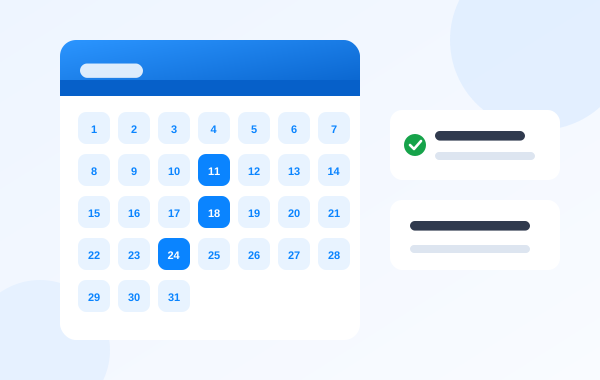
An online booking system is a page where customers book their own appointments, without calling you or waiting for you to answer a message. They see the available times, pick the one that works and they are done.
With Autorys you get your own booking link, for example book.autorys.online/your-business. Share it wherever you like, and every appointment is saved in your CRM calendar, so two customers never end up in the same slot. The system sends automatic reminders, and the appointment can be in person or by video call, free or paid up front.
If you also have an Autorys AI service, the AI books appointments on its own when people ask over WhatsApp, Telegram, your website chat or the AI phone receptionist.
It books, reminds and collects payment for your appointments, so you can focus on the work.
Customers open your link, for example book.autorys.online/your-business, choose a day and time and book their appointment in a moment.
Every customer gets a reminder before their appointment, without you having to message each one or remember to do it.
Booking is tied to your CRM calendar, so once a slot is taken it is no longer offered to anyone else.
You decide whether the appointment is at your place or on video. Video calls open from a link, on a phone too, with nothing to install.
You can ask for payment when the customer books. For video appointments, the call link is only sent once the payment has been confirmed.
With an Autorys AI service, the AI books appointments on its own from WhatsApp, Telegram, your website chat and the AI phone receptionist.
Sign up for it on its own in your dashboard, or get it free when you sign up for an Autorys AI service or a website with us.
Put your booking link on your website, your social profiles, your email signature or anywhere your customers look for you.
They choose a day and time, the appointment lands in your CRM calendar and the system sends them a reminder.
Patients book their own visit, at the office or by video call, and can pay for it before the appointment starts.
Clients book any time from their phone, get a reminder and two appointments never collide in the same slot.
They offer consultations in person or by video, free or paid in advance, to clients in their own city or abroad.
Customers pick the day and time for the job from a link, and the team sees every booking in the CRM calendar.
7-day guarantee: if the service didn’t work for you, let us know within the first 7 days and we’ll give you your money back.
Frequently asked questions
Karla gives you the price and sends you your quote right away. Message her on WhatsApp, through the chat on this page or on Telegram. Keep in mind that online booking comes free if you sign up for an Autorys AI service or a website with us.
No. They book from your link in the browser on their phone or computer. If the appointment is a video call, they join from a link, with nothing to install and no account to create.
Yes. Online booking can charge for the appointment up front with a card payment link the customer pays from their phone. For video appointments, the call link is only sent once the payment has been confirmed.
Yes, if you have an Autorys AI service. The AI books appointments on its own from WhatsApp, Telegram, your website chat and the AI phone receptionist, and they all land in the same CRM calendar.
They cannot overlap. Booking is tied to your CRM calendar: as soon as someone takes a slot, it stops being offered, whether the booking came from your link or from the AI.
You have a 7-day guarantee: if the service did not work for you, tell us within the first 7 days and we refund your money. If you cancel later on, it stays active until the end of the period you already paid for.
Learn more
What the AI can answer alone, what it shouldn't, and how to start step by step.
Set up a booking page, share the link and stop losing appointments you forgot.
You may also need
Your own meeting room: join with a link, share your screen and record meetings.
Card payment links for quotes, receipts and appointments, logged in your CRM.
Answers your calls when you can’t and tells you about every one.
Your WhatsApp answers itself, 24/7, on your own number.
Message Karla on WhatsApp, chat or Telegram and she sends you your quote right away, or turn it on yourself from your dashboard.