Guides
How to let customers book appointments online (and stop missing them)
Short answer
Give customers a booking page with your own link where they see only the times you actually have free, pick one and book it without waiting for you to reply. Connect that page to a single calendar so two people can never take the same slot, turn on automatic reminders so they remember to show up, and ask for payment up front when a missed appointment would cost you. Then put the link everywhere customers already find you.
Key points
- Decide your services, how long each one takes and your real hours before you open the calendar.
- Keep every appointment in one calendar, whether it came from the link, a chat or a phone call.
- Automatic reminders do the remembering for you and for your customer.
- Charging at booking time makes sense for long, costly or easy-to-skip appointments.
- Share the link on your website, social profiles, messages and email signature.
Why booking by message alone stops working
Most businesses start by taking appointments through calls, WhatsApp or direct messages. It works while you are small. Then the messages pile up: someone asks for Tuesday at four, you reply two hours later, they already booked somewhere else. Or you write the appointment on a sticky note and forget to move it to the calendar.
A booking page fixes the back-and-forth. The customer sees the open times, chooses one and is done, at eleven at night or on a Sunday. You stop being the bottleneck between a customer who wants to come in and an empty slot in your day.
What to decide before you turn it on
The page only works as well as the rules behind it. Spend half an hour on these before you share any link, because changing them later confuses customers who already booked.
- Services: list what people can book, in words they would use, not internal codes.
- Duration: how long each service really takes, plus any time you need between appointments.
- Hours: the days and times you truly work, including lunch breaks and days off.
- Place: at your shop or office, at the customer's address, or by video call.
- Payment: free to book, a deposit, or the full price up front.
- Cancellations: how much notice you need and what happens if someone does not show up.
How to set up online booking, step by step
Whatever system you use, the order is roughly the same. The goal is a page that a customer can finish in under a minute from a phone.
- Load your services and hoursEnter each service with its duration and the hours you accept bookings. Leave out anything you would rather quote first.
- Use one calendar for everythingAppointments from the link, from chats and from calls must land in the same calendar. Two calendars are how double bookings happen.
- Turn on remindersAutomatic reminders before each appointment save you from messaging every customer by hand.
- Decide on paymentIf an empty slot costs you money, ask for payment or a deposit when the customer books.
- Test it as a customerBook an appointment yourself from your phone. If anything confuses you, it will confuse them.
- Share the linkPut it on your website, your social profiles, your message replies and your email signature.
Reminders, no-shows and paying up front
People rarely skip an appointment on purpose. They forget, or something comes up and they feel awkward telling you. A reminder before the appointment solves the first problem and gives them an easy moment to warn you about the second.
Charging at booking time is the stronger option. Someone who already paid has a reason to show up, and if they do not, your time was not wasted. It fits consultations, long treatments, sessions with materials prepared in advance and video calls. For quick or low-cost services, a free booking with a good reminder is usually enough.
Whatever you choose, write the rule on the booking page in one plain sentence so nobody is surprised.
| Type of appointment | Booking setup | Example |
|---|---|---|
| Short and frequent | Free booking with a reminder | Haircut, quick repair check, follow-up visit |
| Long or costly | Deposit or full payment up front | Spa treatment, tattoo session, home service visit |
| Remote consultation | Video call, paid before it starts | Legal advice, therapy, accounting review |
| First contact | Free short call or visit | Initial consultation with a new client |
When customers ask on WhatsApp or call instead
Even with a booking link, many customers will still write "do you have anything tomorrow?" or pick up the phone. That is fine, as long as those appointments go into the same calendar. If someone on your team books by hand, they should check the same calendar the link uses.
Some businesses let an AI assistant handle those requests: it reads the message, checks the free times and books the appointment itself. That works best when the assistant uses the same calendar and the same rules as your booking page.
How Autorys handles online booking
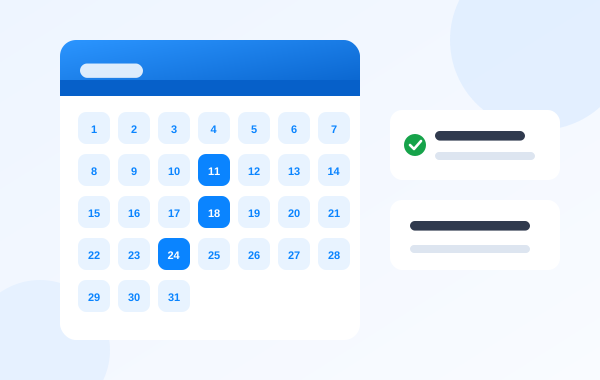
Autorys Online Scheduling gives you a booking page with your own link, for example book.autorys.online/your-business. Customers choose a day and time, they get automatic reminders, and every appointment lands in your CRM calendar, so two customers never end up in the same slot. Appointments can be in person or by video call, and you can charge for them up front: for video appointments, the call link only goes out once the payment is confirmed. Video calls open from a link, on a phone too, with nothing to install.
If you also use an Autorys AI service, the AI books appointments on its own from WhatsApp, Telegram, your website chat and the AI phone receptionist, all in the same calendar. Online booking is sold on its own, and it comes free with Autorys AI services or with a website built by Autorys.
Frequently asked questions
Do my customers need an app to book?
Not with a booking page. They open your link in the browser on their phone or computer, choose a time and confirm. With Autorys, video appointments also open from a link, with nothing to install and no account to create.
How do I stop two people booking the same time?
Keep a single calendar for every source of appointments. When the link, your team and any AI assistant all write to the same calendar, a taken slot simply stops being offered. In Autorys, booking is tied to the CRM calendar for exactly this reason.
Should I charge for appointments in advance?
Charge up front when an empty slot really costs you, such as long sessions, consultations or video calls. For short, frequent services, a free booking with an automatic reminder usually works. Either way, state the rule clearly on the booking page.
Where should I share my booking link?
Anywhere customers already look for you: your website, your social media bio, your WhatsApp replies, your email signature and printed material with a QR code. The easier it is to find, the fewer appointments you have to book by hand.
How much does Autorys online booking cost?
Karla, the Autorys AI assistant, gives you the price and sends your quote right away on WhatsApp, Telegram or the website chat. Online booking comes free if you sign up for an Autorys AI service or a website with Autorys.